
The three things that matter
Distance, level and consistency. Distance because sound falls off quickly with every metre between the speaker and your baby. Level because louder is not calmer — a moderate, steady hush masks a slammed door just as well as a loud one. Consistency because babies are sensitive to change: a loop seam, a track ending or a timer cutting off is a change, and changes wake babies.
BabySleep addresses the third for you by generating sound continuously and fading it out slowly. The first two are yours: the app’s hearing-safety guidance suggests the phone at least two metres from the crib and a moderate volume, and it hard-caps master output in the audio engine so a mis-tap cannot blast.
Choosing a color
- White noise: bright and hissy; strongest masking of high-pitched sounds like voices
- Pink noise: warmer, like steady rain; the usual choice when white sounds harsh
- Brown noise: deep rumble; good when the room is very quiet and you want a low bed
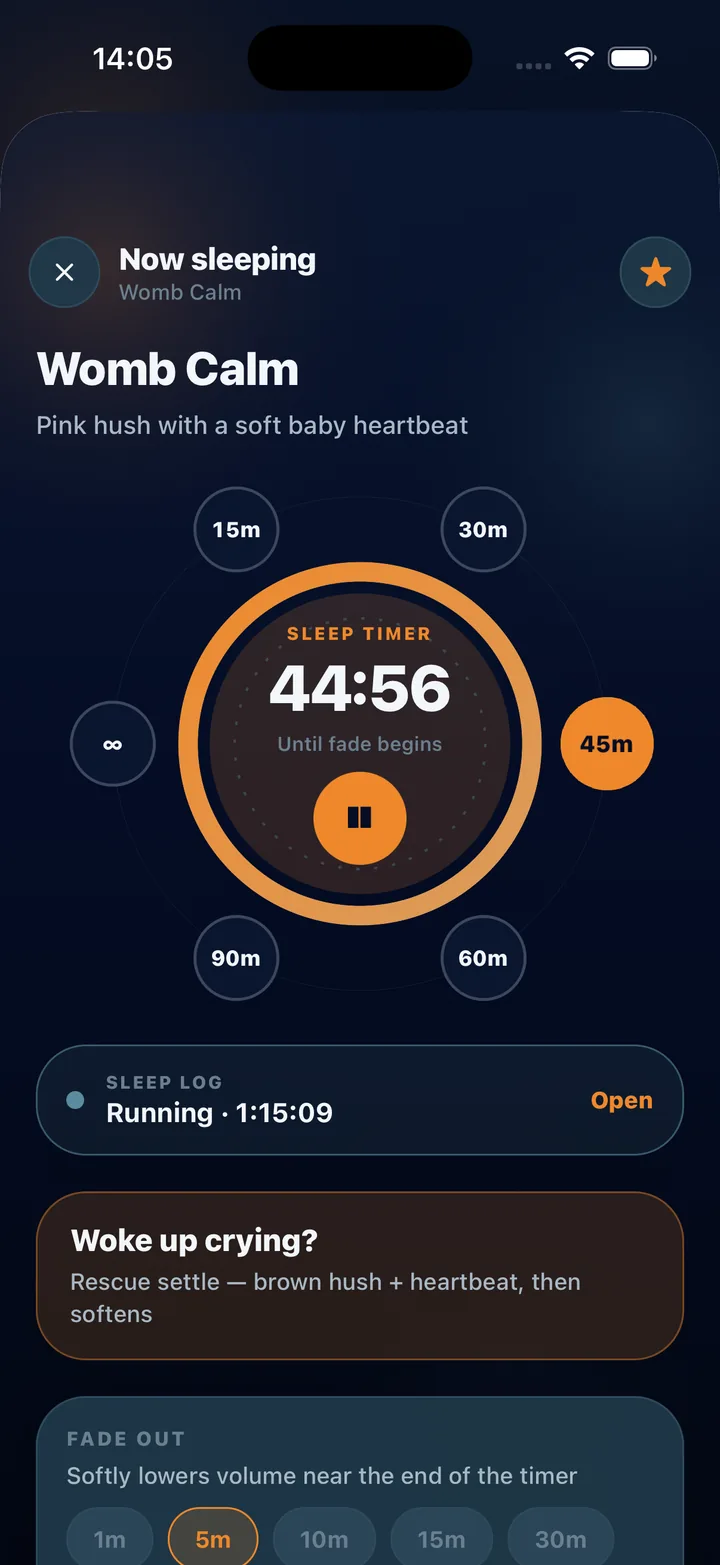
- Womb Calm: pink hush with a soft heartbeat, aimed at the newborn weeks
Checking whether it helps
Log a week of nights with the one-tap sleep log, starting the sound and the night together. The Sleep insights screen will show your average stretch, wakings and which sound lined up with longer sleep — drawn from your own logs. If a color is not helping, try another; if none helps, that is useful to know too.
This guide is general information for parents, not medical advice. Every baby is different; if you have concerns about your baby’s sleep, hearing or health, talk to a pediatric professional.
Steps
In Baby Sleep Noise: Womb Sounds the whole setup takes under a minute.
- Place the phone
Put the phone at least two metres (6+ feet) from the crib, never in or on it, and plug it in if the sound will run all night. Silence notifications.
- Pick a sound
From Home, choose a favorite such as Womb Calm, or open the mixer and start with pink or brown noise. Every sound soft-starts over two seconds.
- Set a moderate volume
Aim for a level you could comfortably talk over from where your baby lies. The app caps peak output in the engine, but keep the slider moderate — louder is not calmer.
- Choose timer and fade
Set the sleep timer — 45 minutes is the default, or 60 to 90 for bedtime, or all night — and a fade-out of 5 to 15 minutes so the sound tapers instead of stopping.
- Start the night log
Tap Start night on the Sleep screen. The night is saved with the sound that was playing, so you can compare colors over a week.
- Use Rescue for wake-ups
If your baby wakes crying, tap Rescue on Now Playing. A stronger settle mix of brown hush and heartbeat comes in and eases back down over ten minutes.
Frequently asked questions
Should white noise run all night?
The app offers an all-night timer. Whether to use it is your decision; many parents prefer a 60 to 90 minute session with a long fade for bedtime and reserve all-night for the newborn weeks. Not medical advice.
How far should the phone be from the crib?
The app’s hearing-safety guidance suggests at least two metres, and never in the crib. Distance is the single most effective way to keep the level at your baby’s ear moderate.